Hands-Free Door Operator Adjustments with Allegion Optimize
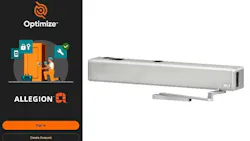
With the new Allegion Optimize app, making adjustments to the LCN Swing Series Auto Operator just got a whole lot easier. Now installers and facility teams can calibrate, adjust, maintain and troubleshoot the LCN Senior Swing via the app – no ladders or tools needed.
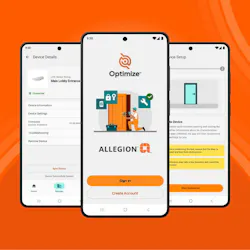
Allegion Optimize is a mobile application created to unify and streamline management of select Allegion products within one easy-to-use tool. The Optimize app works with LCN’s Senior Swing IQ auto-operators, which were launched in November of 2025. The release coincides with the latest firmware update for the LCN Senior Swing Series Auto Operator. Any IQ operator can be connected via Bluetooth to update the firmware to ensure each device is running the latest version.
Locksmiths will be able to adjust any of the 23 available settings via the Optimize app, including opening speed, closing speed, hold-open time, and our smart power boost. The only time they'd be required to remove the operator cover is to turn on Bluetooth when they're first connecting the app. Once connected, they can calibrate, adjust, and troubleshoot the Senior Swing, all without removing the cover.
Installation is quick. The installer simply needs to scan a QR code on the device and add it to a site – all done using the Optimize mobile app. Then basic Senior Swing setup is as easy as running the calibration cycle via the app, which takes around 60 seconds. This allows them to be safely on the ground and watch the door more closely to determine whether further adjustments are needed. If the user wants to fine-tune any settings, they can adjust them on the app and run a 'test door' cycle to ensure they're happy with the new setting they've chosen. Those adjustments can be done in batches, so the user doesn't need to adjust just one thing at a time.
For troubleshooting, the app provides access to both Active Errors and Device Audits. Active Errors listed will include the error code, a detailed description of the error, and basic troubleshooting advice, such as checking a connection. Once resolved, errors will be removed from this list. Device Audits serve as more of a "full history" of the operator and will include app connections along with both active and former errors.
One technician can manage multiple operators from the app. The individual devices can be named after being connected for ease of identification, and a single technician can connect to, adjust, and troubleshoot multiple devices, all without removing the cover, climbing a ladder or opening their toolboxes.
Optimizing Growth
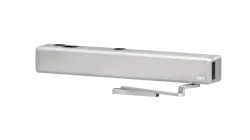
The healthcare market is a leading vertical for both the LCN Senior Swing and the Optimizer app. Senior Swings are common in hospital corridors that frequently include stretchers, beds, or wheelchairs that require a clear path. In ER corridors in particular, doors need to open more quickly to clear the path for emergencies. In a situation where staff feel a door may be opening too slowly, a technician can now quickly respond to the door without needing a ladder or even a screwdriver. With the Optimize app, the tech can pull up the connected operator, increase the device speed, click save, and the adjustment is made. There’s no downtime and no hardware blocking traffic., just a quick update and a better customer experience.
An Optimized Future
Allegion Optimize won’t stop with the LCN Senior Swing. It is designed to be the new unified device management mobile application that will simplify the commissioning, configuration and ongoing maintenance of future Allegion connected devices across multiple product categories. Plans to support additional auto operators and electronic locks will be announced later this year.
Allegion Optimize is available now in the Apple App Store and Google Play store for use with LCN auto operators. Learn more about Optimize and the LCN Senior Swing