Test Driving the Maverick Key Machine
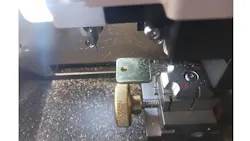
Buying a new key machine is a big investment for a locksmith, and choosing the right machine takes some research. When locksmith Nicholas Rice, Nick’s Lock and Security, needed a key machine to help expand his automotive work, the Maverick from Lock Labs was his choice. Rice shared his thought process and his experiences with the Maverick with Locksmith Ledger.
Rice already had his trusty Framon 2 and JMA Nomad key machines but wanted a computerized key machine that would cut sidewinder keys.
He did his research. Because the Triton and Black Widow were above his budget, he first considered the XHorse Dolphin. Then Lock Labs introduced the Maverick, which won him over because of the U.S.-based tech support. “That's important to me as a company to support U.S. companies and US manufacturing the best I can,” he said.
So Rice ordered one of the first Maverick key machines to be sold through distribution from his favorite distributor, CLK Supplies. He bought it in November 2025.
This was an additional key machine, not a replacement. What were your needs?
The purchase was so I could add laser edge or laser-cut vehicle keys to expand my offerings. I'm not heavily in automotive. However, there's a demand for it and for quality craftsmanship at a reasonable price. I do need to offer a service even though I'm not focusing on that area.
Do you use the Maverick in the van?
I am primarily mobile. I am currently building a small workshop outside the home. But yes, when I’m using the Maverick, it gets loaded in my van. I don't store it in my van because it's expensive. I just got the mounting brackets for the Maverick so it can be mounted in the van and that'll probably happen soon.
Did everything work right out of the box? Was it hard to get started?
There was a little bit of a learning curve because I picked it up so early. They did not have a chance to create a detailed manual yet. (Note: a manual can now be downloaded from the Maverick website, www.maverickkeymachine.com.) Most of the directions came from the images in the app. So that was a bit of a learning curve right off the bat. I had to buy new cutters because I did it wrong and broke all my cutters. I figured out recently why I did things wrong and it was an easy fix.
Out-of-the-box, it only comes with jaw number one, which is for laser cut vehicle keys, and also holds your edge cut vehicle keys with an adapter.
That comes with it. If you want to do commercial and residential-style edge — Kwikset, Schlage, Yale, Master, all these smaller kinds of keys — you need a different jaw. I broke bits trying to figure out how to use it because I was doing it wrong. I feel silly for doing it wrong because now that I figured it out, it is plainly obvious as a nose on a face like, oh, that's how you're supposed to do this.
One thing I liked about the Maverick compared to its next step up, which is the Black Widow, is that the Maverick will cut all keys, assuming you have the right jaw, with no software changes.
What has surprised you the most about the Maverick? What did you find out that's unexpected when using it?
I can't really think of anything that's unexpected other than it's louder than I expected. But again, I think that's because I was using it wrong. When you're switching between jaws, it does take a few extra minutes. It is slower than if I use a Framon or if I use a manual key punch for edge cut keys. But again, that's to be expected because it is a CNC. It has to figure out where it is and where it's going.
Honestly, it has performed as I would have expected it to perform, given that it is a less expensive model, and given that it doesn't have the built-in screen like the Maverick Max. I'm running it off my small cell, a business cell phone, which has like a four-and-a-half-inch screen.
What accessories have you added?
Out-of-the-box it was automotive only, but I bought an additional jaw and now it cuts Kwikset, Schlage and my MX keys. I didn't have to buy and install new software or update the licensing on it because everything is done through the phone. I don't even need cell service for it, which is also nice. I've actually used it on an iPad that has Wi-Fi only. So even if I'm in a remote area where there's no Internet of any kind, I can still make it do what I need it to do. There's a lot of machines that have to log into the Internet and then back down. This one has none of those problems.
Is power a big consideration?
I have to use it in my van on its power bank or I have to use my portable power bank. This weekend I was out with LSA Locksmith Security Association of Michigan over at a real estate expo and I ran it off of a portable power bank. I must have power wherever I go. I wish it had the built-in battery.
Are there more accessories or functionalities that you wish it had or you wish that you could add to it as you go on?
The base model is heavy and not ideal for carrying long distances. That's another reason for getting it mounted to the van so I don't have to keep carrying it around. I guess that can be considered a negative. It's not something that you're going to port in from your house, throw in the back of a small sedan and drive around and put it back in your house. Once you put it somewhere, you want it to stay there. I think most of the weight probably is the motor. That's probably the biggest drawback. (Note: The weight is listed as 38.5 pounds and mounting brackets are offered as an accessory and can be ordered.)
If I could add a feature besides the battery, it would probably be engraving.
Do you think it's helped to expand your business and have you paid for it yet in additional profits?
Oh, absolutely. It hasn't quite paid for itself yet, but it will.
Check out Nicholas Rice’s YouTube channel, https://www.youtube.com/@NicksLock, for several Maverick videos.
Maverick Basics
Lock Labs describes the Maverick key machine as an inexpensive solution for those looking for a backup or entry-level automatic key machine. The Maverick can decode, originate and duplicate all commercial and residential keys with a comprehensive key code database. Lock Labs also provides U.S.-based tech support and repairs.
Two versions are offered: the Maverick (as described in our article) and the Maverick Max. The Maverick does not contain an embedded screen or battery and can be operated by any Android or iOS device. The upgraded Maverick Max features a 7" capacitive touchscreen for easy navigation through its user interface. It also boasts an integrated lithium-ion battery capable of cutting up to 30 keys on a single charge.
Learn more at https://www.maverickkeymachine.com/