Installing the Keyless CompX StealthLock® Cabinet Locking System
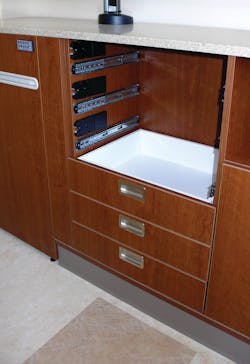
The CompX StealthLock is a keyless cabinet locking system that operates electronically. To gain entry, users enter codes into the remote Transmitter Pad that wirelessly operates the hook style latching mechanism. The StealthLock uses radio frequency (RF) technology to provide the unlocking and locking commands. Radio frequency technology has reached the point that the reliability is more than 99 percent.
The StealthLock RF technology makes use of an encoded radio signal operating on 315 MHz with an operating range of approximately 15 feet. This allows one StealthLock Transmitter Pad to operate multiple Receiver Latches. In addition, Receiver Latches can be programmed to the same or different User or Supervisor Codes. Vehicle manufacturers in the United States and Japan use this 315 MHz technology for vehicle Remote Keyless Entry (RKE).
To send the signal, the User or Supervisor Code is first entered into the keypad. Each button has it own unique data value. The combined button presses (i.e. 0000) and the Lock or Unlock button press create the signal. The signal is sent only when the Lock or Unlock Button is pressed.
The sending unit, the Transmitter Pad, sends a short burst of digital data to the Receiver Latch that must be within approximately 15 feet. The Receiver Latch receives the data where it is decoded. If the Receiver Latch does not accept the digital data, nothing happens. If it is acceptable, the appropriate message is sent to the receiver-controlled actuator that performs an operation. For the CompX StealthLock, this will be either unlocking or locking the latching mechanism.
The CompX StealthLock Transmitter Pad has a 12-button keypad, 1-10 and Lock and Unlock. It is 3.375” length by 1.5” in height. A CR2032 coin battery powers the Transmitter Pad, which has a low battery indicator.
Overall dimensions of the Receiver Latch are 6.785” length, 2.670” height and .437” thick. Four AAA batteries power the Receiver Latch. It has been designed to mount in drawers that have the standard ½" suspension (drawer slide) clearance.
There are two versions of the CompX StealthLock Transmitter Pads that determine the operation. The Standard version has four- to eight-digit programmable Supervisor and User Codes. Slightly less than 100 million Supervisor and User Codes can be programmed using eight-digit codes. The Dedicated version has a factory-set Transmitter Pad identification number that has a fixed code. To identify a Standard Version Transmitter Pad, there is no TPID number engraved into the edge adjacent the battery tray.
Both versions are capable of three modes of operation: self-locking, passage/manual lock and single use. The default mode of operation, passage/manual lock, requires the user to input the code in order to unlock or lock the lock. The self-locking mode automatically re-locks the receiver latch ten seconds after unlock locking eliminating the need to enter the Lock code. The single-use mode allows the user to choose their code at the time of operation. Note: Once the single-use mode has been set, the user code is set when it is entered in order to lock the cabinet.
In addition to programming the Supervisor and the User Codes, the Standard version can be programmed to perform the following functions:
- Learn Disable/Learn Enable – These two modes allow or not allow the user to program a new User Code.
- Reset Factory Default Settings – Places Receiver Latch into a Non Single Use Mode, Passage Mode and Learn Enable Mode.
- Clear User Pin Code - Resets the User Code to factory default.
Note: These programming features require entering the Supervisor Code.
CompX recommends the Dedicated version when users are within close proximity of each other. For this article, we will discuss the Standard version.
The CompX StealthLock is designed to operate when installed into cabinetry that is non-metallic, as an RF signal is not able to penetrate metal. The StealthLock signal can penetrate cabinetry made of wood, glass or phenolic resin laminates.
For the purpose of this article, we installed a Standard version StealthLock into a computer desk drawer. These basic instructions will apply to a cabinet door as well. CompX has posted installation and programming videos and downloadable instructions online at web site: www.stealthlock.com.
The StealthLock has been designed to operate with most cabinetry door and drawer mechanisms. The Installation Tool has been redesigned to accommodate both the small and larger stops that prevent the drawer from hitting against the cabinetry front.
The desk is constructed of laminate covered pressboard type material. Important: The StealthLock is designed for mounting in cabinetry having solid panel construction and full overlay doors. The Receiver Latch requires a minimum of one-half inch space either along the side, top or bottom of the drawer. Check the drawer box to see which location best fits your application. For inset cabinet doors or drawers, an installation template is available at web site: www.stealthlock.com
In order to install the StealthLock into cabinetry, the latch mechanism must but set to the unlocked condition. To unlock the latch mechanism, the four AAA batteries must be installed into the Receiver Latch.
Once power has been provided, press the Learn Button until the yellow LED illuminates. If the Receiver Latch is locked, it will unlock. The recessed Learn Button and green/yellow LED is located on the exterior side of the Receiver Latch. The Learn Button is also used to enter the programming mode in order to program the Receiver Latch.
Important: When programming a StealthLock, only the Receiver Latch is programmed. The Transmitter Pad is not programmed. The Transmitter Pad is just a sending unit. The Receiver Latch programming is changed.
Press the Learn Button using a paper clip or similar pointed implement. Press the Learn button until the yellow LED illuminates, indicating the Receiver Latch is in the unlocked position. This way, the Strike Plate can be located onto the inside of the drawer front and still be able to open the drawer to complete the installation.
Make certain the strike plate with Installation Tool is secured within the Receiver Latch. The Installation Tool serves several purposes. It is used to align the Receiver Latch on interior side of the cabinetry and the Strike Plate on the door or drawer face.
Position the Receiver Latch having the tabs on the Installation Tool plumb against the front edge of the cabinetry. Hold Receiver Latch in place and mark the locations of the four mounting screws. Drill four pilot holes and install the Receiver Latch using the four #6 by ½” provided screws.
Remove the release paper from the Strike Plate.
Carefully close the drawer to be certain the adhesive on the Strike Plate attaches to the back of the drawer front in the proper mounting position.
Carefully remove red installation tool. Save it for servicing issues and possible future installations.
Install the two #6 by ½” screws to secure the Strike Plate. As an option, place one screw in one of the two holes in the strike plate. The second screw can be installed in the hole adjacent to the strike plate pin in order to secure the strike plate against the drawer box.
Close and open the drawer to be certain the strike plate enters the Receiver Latch.
Thought should be given to where to locate the Transmitter Pad. The Transmitter Pad must be within 15 feet of the Receiver Latch. The Transmitter Pad can be mounted onto the cabinetry or placed in a less exposed location. The Transmitter Pad has double-stick tape on the back plate. For example, a Transmitter Pad was mounted onto the rear of an employee nameplate. As an option, a metal StealthLock Mounting Plate encases the pad and is screwed in place.
The advantage of the Mounting Plate is the battery cannot be removed without first unscrewing and removing the plate. This can be beneficial as there are some applications where an employee will unlock the Receiver Latch, then disable the mechanism eliminating having to enter the code in order to gain access to the content of the drawer or cabinet. To make battery removal more difficult, the Receiver Latch was designed to have the battery box accessible only by first removing the latch.
Once the StealthLock Transmitter Pad and Receiver Latch have been properly installed, the next series of steps involve programming.
The Standard Version StealthLock is fully programmable having the ability to change the Supervisor and User Codes, the modes of operation, and when necessary restore default setting as long as the Supervisor and User Codes are known.
Important: The Supervisor Code cannot be reset or retrieved if lost. Loss of the Supervisor Code eliminates the possibility of resetting the Supervisor Code or changing functions of the lock.
If the Receiver Latch is programmed to Learn Disable function, no changes can be made to the Receiver Latch.
When in the Programming Mode, there is a 60-second time limit for programming each step. The Learn Mode will end if too much time is taken during a step or if a mistake is made. If this happens, you will have to re-start programming.
The Learn Button is on the exterior side of the Receiver Latch. Adjacent to the button is a green and yellow LED. To enter the Learning Mode, press the Learn Button using a paper clip or a pen tip. Depending upon how long the button is pressed, the one blink pattern, the two blink pattern or the three blink pattern will flash. Once in a programming mode, the blink pattern cannot be changed. Wait until the time limit has been passed and the Receiver Latch has exited the programming mode in order to enter a different blink pattern in the programming mode.
In the one-blink pattern, the StealthLock can be programmed to a new User Code. A two-blink pattern is entered to program the Supervisor Code. A three-blink pattern is entered to program functions.
User Code Programming
To program the new User Code, press and maintain pressure on the learn button until the yellow LED begins to blink. Immediately release the learn button. The Receiver Latch is in User Code programming mode, one-blink pattern.
Enter the current user code onto the Transmitter Pad. The factory default User Code is “0000.” User Codes must be four to eight digits in length.
Press the unlock button.
The Transmitter Pad green LED will illuminate for approximately two seconds, indicating the signal is being transmitted. Wait for green LED to extinguish, as the pad will not accept programming when the Green LED is illuminated.
Enter the new four- to eight-digit User Code and press the Lock Button. Enter the new User Code and Lock Button a second time for confirmation after the green LED has extinguished.
If a too short or too long code has been entered, the green LED on the Transmitter Pad flashes rapidly after pressing Lock or Unlock button. If the confirmation User Code is not identical, the Receiver Latch flashes green-yellow multiple times and extinguishes.
The green LED on the Receiver Latch will illuminate for three seconds indicating the new user code has been successfully programmed. The StealthLock will exit the Learn Mode, the flashing yellow LED extinguishes.
Enter the new user code and press Unlock Button to be certain the lock unlocks. Repeat this operation several times to ensure the lock unlocks.
Additional programming instructions will appear in the expanded version of this article on our web site, www.locksmithledger.com.
Changing the Supervisor Code
The Supervisor Code allows the owner of the StealthLock® to overwrite the user code and change operational modes. The factory-default Supervisor Code is 071856. The Supervisor Code cannot be reset or retrieved if lost. The current Supervisor Code is required to change to a new Supervisor Code.
CompX highly recommends the Supervisor Code be changed from the default code. The Supervisor Code must be four to eight digits in length. It does not have to be the same length as the User Code.
To change the Supervisor Code, press and hold the Receiver Latch learn button until the LED begins a two yellow blink pattern entering the learning mode. Note: Programming the User Code requires the single blink pattern.
Important: When in the learn mode, slowly enter codes and functions only when the green LED on the Transmitter Pad is not illuminated. There is a 60 second programming time limit to each step. If you time out or make an error, programming will end and you will need to restart from the beginning. If the green LED is illuminated, the keystrokes will not be read.
Using the Transmitter Pad, enter the current Supervisor Code and press the Unlock button. When the green LED on the Transmitter Pad extinguishes, enter the new Supervisor Code and press the Lock button. Wait until the Transmitter Pad’s green LED extinguishes. Then re-enter the new Supervisor Code and press the Lock button.
If the programming was successful, the green LED on the Receiver Latch will stay illuminated for 3 seconds, extinguish and exit the learning mode. Test the new Supervisor Code to unlock the Receiver Latch to be certain it is properly programmed.
If the green LED does not stay illuminated for three second, check to be certain the existing Supervisor Code will unlock the Receiver Latch and then start over.
The StealthLock also features several modes of operation and reset ability. The modes and resets can only be modified with the Supervisor Code. They include:
- Programming Single-Use Mode or Non Single-Use Mode
- Programming Self-Lock Mode or Passage Mode
- Programming Learn Disable or Learn Enable
- Reset Factory Default Settings
- Clear User Code
In the print version of this article, we will only address the rest factory default procedure. More detailed programming instructions for the other modes will be covered in the expanded online version of this article, available at www.locksmithledger.com.
Reset Factory Default Settings
The Reset Factory Default Settings returns the lock to its original factory settings places the StealthLock Receiver Latch into a Non Single Use Mode, Passage Mode, and Learn Enable Mode. It does not reset the User or Supervisor Code. The Supervisor Code is required for this programming function.
Important: When in the learn mode, slowly enter codes and functions only when the green LED on the Transmitter Pad is not illuminated. There is a 60-second programming time limit to each step. If you time out or make an error, programming will end and you will need to restart from the beginning. If the green LED is illuminated, the keystrokes will not be read.
To program the Reset Factory Default Settings, press and hold the Receiver Latch learn button until the yellow LED begins the three-blink pattern.
Enter the Supervisor Code and press the Unlock button.
To program the Reset Factory Default Settings, enter 4444 and press the Lock button.
If the programming was successful, the green LED on the Receiver Latch will flash twice. If the Single-Use Mode was reset, the User Code will default to 0000.
To leave the learn mode, enter 9999 and the Lock button to exit the learn mode. Test lock function for proper operation.
Clear User Pin Code
The Clear User Pin Code returns the User Code back the factory default 0000. It does not reset any other mode or feature of the StealthLock. (Requires the Supervisor Code)
To program the Clear User Pin Code, press and hold the Receiver Latch learn button until the yellow LED begins the three-blink pattern.
Enter the Supervisor Code and press the Unlock button.
To program the Clear User Pin Code, enter 8888 and press the Lock button.
If the programming was successful, the green LED on the Receiver Latch will flash twice. If the Single Use Mode was reset, the User Code will default to 0000.
To leave the learn mode, enter 9999 and the Lock button to exit the learn mode. Test lock function for proper operation.
Standard operation of the StealthLock is four unlocking and locking cycles per day. CompX recommends changing all batteries annually.
Important: In the event of battery failure, the StealthLock has been designed for forced entry into the cabinet. The StealthLock strike plate pin is designed to shear away at 80lbs of force. A new strike plate will then be needed to make the lock operational.
Auxiliary power is an option for the receiver latches using an optional CompX RL-AP1 Power Supply or the RL-APC-9VJ-10 Power Cord. The power code uses a 9Volt battery. Up to ten receiver latches can be powered using one power cord or power supply.
The CompX StealthLock is designed for interior applications only having a operating temperature range of 50°F to 120°F.
The StealthLock is sold as a complete kit containing a receiver latch, transmitter pad, cabinet strike plate and an installation tool. For additional StealthLocks, the expansion kit contains a receiver latch and cabinet strike plate. The StealthLock is also sold as individual components.
For more information, contact your local locksmith distributor or CompX Timberline, 715 Center St., Grayslake, IL 60030. Telephone: 847-752-2600. Web Site: www.stealthlock.com. Hours are Monday through Friday 8 a.m. to 5 p.m. Central time.
Additional CompX StealthLock® Programming Instructions
The following is the continuation of the CompX StealthLock article, exclusively available online.
Changing the Supervisor Code (Requires the Supervisor Code)
The Supervisor Code allows the owner of the StealthLock® to overwrite the user code and change operational modes. The factory default Supervisor Code is 071856. The Supervisor Code cannot be reset or retrieved if lost. The current Supervisor Code is required to change to a new Supervisor Code.
CompX highly recommends the Supervisor Code be changed from the default code. The Supervisor Code must be four to eight digits in length. It does not have to be the same length as the User Code.
To change the Supervisor Code, press and hold the Receiver Latch learn button until the LED begins a two yellow blink pattern entering the learning mode. Note: Programming the User Code requires the single blink pattern.
Important: When in the learn mode, slowly enter codes and functions only when the green LED on the Transmitter Pad is not illuminated. There is a 60 second programming time limit to each step. If you time out or make an error, programming will end and you will need to restart from the beginning. If the green LED is illuminated, the keystrokes will not be read.
Using the Transmitter Pad, enter the current Supervisor Code and press the Unlock button. When the green LED on the Transmitter Pad extinguishes enter the new Supervisor Code and press the Lock button. Wait until the Transmitter Pad’s green LED extinguishes. Then re-enter the new Supervisor Code and press the Lock button. If the programming was successful, the green LED on the Receiver Latch will stay illuminated for 3 seconds, extinguish and exit the learning mode. Test the new Supervisor Code to unlock the Receiver Latch to be certain it is properly programmed.
If the green LED does not stay illuminated for three second, check to be certain the existing Supervisor Code will unlock the Receiver Latch and then start over.
The StealthLock features several modes of operation and reset ability. The modes and resets can only be modified with the Supervisor Code. They include:
Programming Single Use Mode or Non Single Use Mode
Programming Self Lock Mode or Passage Mode
Programming Learn Disable or Learn Enable
Reset Factory Default Settings
Clear User Code
Programming Single Use Mode or Non Single Use Mode (Requires the Supervisor Code)
The Single Use Mode has a User Code that must be newly entered each time the Receiver Latch locks the cabinetry door or drawer. Each person must enter his or her own four to eight digit code and press the Lock button in order to lock the door or drawer. When the same User Code is entered and the Unlock button is pressed, a new User Code must be entered repeating the process.
The Non single Use Mode uses the Receiver Latch programming to set the four to eight digit User Code.
To program the Single Use Mode or Non Single Use Mode, press and hold the Receiver Latch learn button until the yellow LED begins the three blink pattern.
Enter the Supervisor Code and press the unlock button.
To program the Single Use Mode, enter 1111 and press the Lock button.
If the programming was successful, the green LED on the Receiver Latch will flash twice. To leave the learn mode, enter 9999 and the Lock button to exit the learn mode. Test lock function for proper operation.
To program the Non Single Use Mode, enter 1111 and press the Unlock button. The User Code will reset to factory default 0000.
If the programming was successful, the green LED on the Receiver Latch will flash twice. To leave the learn mode, enter 9999 and the Lock button to exit the learn mode. Test lock function for proper operation.
Programming Self Lock Mode or Passage Mode (Requires the Supervisor Code)
The Self Lock Mode automatically relocks the Receiver Latch 10 seconds after pressing the Unlock button when a valid User or Supervisor Code has been entered. In the Passage Mode, the Receiver Latch remains in the unlocked position until the User or Supervisor Code is entered and the Lock Button is pressed.
Important: When in the learn mode, slowly enter codes and functions only when the green LED on the Transmitter Pad is not illuminated. There is a 60 second programming time limit to each step. If you time out or make an error, programming will end and you will need to restart from the beginning. If the green LED is illuminated, the keystrokes will not be read.
To program the Self Lock Mode or Passage Mode, press and hold the Receiver Latch learn button until the yellow LED begins the three blink pattern.
Enter the Supervisor Code and press the Unlock button.
To program the Self Lock, enter 2222 and press the Lock button.
If the programming was successful, the green LED on the Receiver Latch will flash twice. To leave the learn mode, enter 9999 and the Lock button to exit the learn mode. Test lock function for proper operation.
To program the Passage Mode, enter 2222 and press the Unlock button.
If the programming was successful, the green LED on the Receiver Latch will flash twice. To leave the learn mode, enter 9999 and the Lock button to exit the learn mode. Test lock function for proper operation.
Programming Learn Disable or Learn Enable (Requires the Supervisor Code)
The Learn Disable Mode allows the Supervisor Code to not allow a user to program a new User Code. The Learn Enable Mode allows reprogramming of a new Supervisor Code and a new User Code. See instructions for re-programming Supervisor Code and User Code.
Important: When in the learn mode, slowly enter codes and functions only when the green LED on the Transmitter Pad is not illuminated. There is a 60 second programming time limit to each step. If you time out or make an error, programming will end and you will need to restart from the beginning. If the green LED is illuminated, the keystrokes will not be read.
To program the Learn Disable Mode, press and hold the Receiver Latch learn button until the yellow LED begins the three blink pattern.
Enter the Supervisor Code and press the Unlock button.
To program the Learn Disable Mode, enter 3333 and press the Lock button.
If the programming was successful, the green LED on the Receiver Latch will flash twice. To leave the learn mode, enter 9999 and the Lock button to exit the learn mode. Test lock function for proper operation.
To program the Learn Enable Mode, enter 3333 and press the Unlock button.
If the programming was successful, the green LED on the Receiver Latch will flash twice. To leave the learn mode, enter 9999 and the Lock button to exit the learn mode. Test lock function for proper operation.
Reset Factory Default Settings (Requires the Supervisor Code)
The Reset Factory Default Settings returns the lock to its original factory settings places the StealthLock Receiver Latch into a Non Single Use Mode, Passage Mode, and Learn Enable Mode. It does not reset the User or Supervisor Code.
Important: When in the learn mode, slowly enter codes and functions only when the green LED on the Transmitter Pad is not illuminated. There is a 60 second programming time limit to each step. If you time out or make an error, programming will end and you will need to restart from the beginning. If the green LED is illuminated, the keystrokes will not be read.
To program the Reset Factory Default Settings, press and hold the Receiver Latch learn button until the yellow LED begins the three blink pattern.
Enter the Supervisor Code and press the Unlock button.
To program the Reset Factory Default Settings, enter 4444 and press the Lock button.
If the programming was successful, the green LED on the Receiver Latch will flash twice. If the Single Use Mode was reset, the User Code will default to 0000.
To leave the learn mode, enter 9999 and the Lock button to exit the learn mode. Test lock function for proper operation.
Clear User Pin Code (Requires the Supervisor Code)
The Clear User Pin Code returns the User Code back the factory default 0000. It does not reset any other mode or feature of the StealthLock.
Important: When in the learn mode, slowly enter codes and functions only when the green LED on the Transmitter Pad is not illuminated. There is a 60 second programming time limit to each step. If you time out or make an error, programming will end and you will need to restart from the beginning. If the green LED is illuminated, the keystrokes will not be read.
To program the Clear User Pin Code, press and hold the Receiver Latch learn button until the yellow LED begins the three blink pattern.
Enter the Supervisor Code and press the Unlock button.
To program the Clear User Pin Code, enter 8888 and press the Lock button.
If the programming was successful, the green LED on the Receiver Latch will flash twice. If the Single Use Mode was reset, the User Code will default to 0000.
To leave the learn mode, enter 9999 and the Lock button to exit the learn mode. Test lock function for proper operation.
To view available videos, go to www.stealthlock.com/videos_program.html
To read additional Locksmith Ledger articles on Compx products, visit http://tinyurl.com/compx0112.
About the Author